Managing Cache
Viewing cache usage
Section titled “Viewing cache usage”Console
Section titled “Console”The Caches page in the Avrea console shows:
- Total usage across all repositories in your organization
- Per-repository breakdown with quota progress bars
- Per-repository entry list with type, key, size, hits, and last-used time
- Filter by cache type (gha, go-build, bazel-build, sccache-build, etc.)
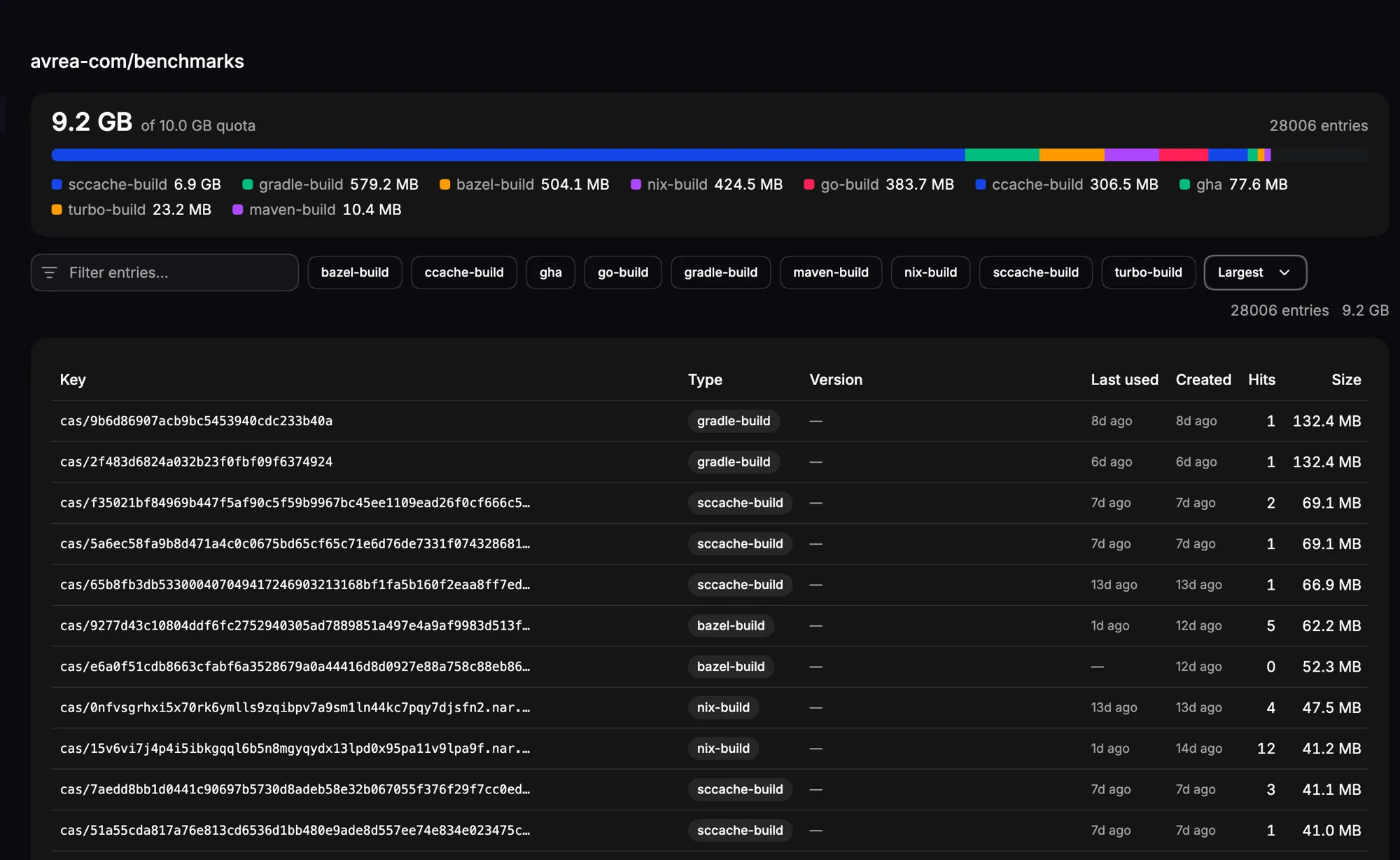
The repository page also shows cache traffic from the last 24 hours. Workflow run and job pages provide the same stats scoped to one execution. See Cache Stats to interpret hit rates, transfers, errors, diagnostics, and coverage states.
avr cache usage --repo rep-abc123Shows cache usage summary for a repository. To list individual entries:
avr cache list --repo rep-abc123Deleting cache entries
Section titled “Deleting cache entries”You can delete specific cache entries from the console's entry list or via the CLI:
avr cache delete --repo rep-abc123 --type gha --key "node_modules"avr cache delete --repo rep-abc123 --allCache settings
Section titled “Cache settings”Each cache type can be configured at the organization or repository level.
Console
Section titled “Console”Go to Settings in the Avrea console to toggle caches on or off:
| Setting | Description | Default |
|---|---|---|
| GitHub Actions Cache | Cache dependencies and build outputs via actions/cache | On |
| GitHub Actions Action Cache | Serve the action archives a workflow pulls with uses: from datacenter-local storage | Off |
| Git Checkout Acceleration | Preload workflow repositories from datacenter-local Git mirrors | Off |
| Git Submodule Precheckout | Choose root-only, top-level, or recursive preloading | Root only |
| Git LFS Cache | Cache Git LFS downloads in datacenter-local storage | Off |
| Go Build Cache | Accelerate Go builds with shared GOCACHEPROG | On |
| Bazel Remote Cache | Accelerate Bazel builds with a shared remote cache | On |
| Turborepo Cache | Cache Turborepo task outputs across workflow runs | On |
| ccache | Accelerate C/C++ compilations with shared ccache storage | On |
| Gradle Build Cache | Share Gradle build outputs across workflow runs | On |
| sccache | Accelerate Rust and C/C++ compilations with shared sccache | On |
| Maven Build Cache | Share Maven build outputs across workflow runs | On |
| sbt Build Cache | Share sbt build outputs across workflow runs | On |
| Nix Binary Cache | Cache Nix build outputs as a binary cache | On |
| Nx Remote Cache | Cache Nx task outputs across workflow runs | On |
| Package Manager Cache | Master switch for package caching, including Swift, Playwright, Puppeteer, Electron, Cypress, and Selenium | On |
| Playwright Browser Cache | Cache Playwright browser downloads; requires Package Manager Cache | On |
| Puppeteer Browser Cache | Cache Puppeteer Chrome and headless-shell downloads; requires Package Manager Cache | On |
| Electron Binary Cache | Cache Electron releases and checksums; requires Package Manager Cache | On |
| Cypress Binary Cache | Cache Cypress binary archives; requires Package Manager Cache | On |
| Selenium Browser & Driver Cache | Cache Selenium browser and driver downloads; requires Package Manager Cache | On |
| Operating System Package Cache | Configure Ubuntu runner apt caching; independent of Package Manager Cache; containers opt in separately | On |
| Swift Package Registry | Resolve public SwiftPM dependencies through Avrea's registry | On |
| Private Swift Packages | Resolve eligible organization-private Swift packages through Avrea's registry | Off |
| Xcode Compilation Cache | Reuse compiler outputs across macOS workflow runs | On |
| Tuist Module Cache | Share Tuist module artifacts across macOS runners | Off |
Organization-level settings apply to all repositories by default. Repository-level overrides take precedence.
The GitHub Actions Action Cache is the exception if your organization uses
organization-level runners. A runner downloads every uses: action while
setting up the job, before it knows which repository the job belongs to, so
only the organization-level value applies. The repository settings page shows
the setting read-only there, and a repository-level write is rejected.
List current settings:
avr settings listDisable a specific cache for a repository:
avr settings set cache.sccache.enabled falseRe-enable it:
avr settings set cache.sccache.enabled trueReset to the inherited default:
avr settings reset cache.sccache.enabledView all available setting definitions:
avr settings schema